1 Introduction
There are two types of SCCSs that can be included in the workbench. One is the SCCS created by the team itself, and the other is the SCCS that the team is invited to as a collaborator, which we call an external SCCS.
SCCS (Supply Chain Collaboration Space) is a collaboration space on Linkincrease. On Linkincrease, each team can create multiple SCCSs. Within each SCCS, team members can flexibly manage orders. In addition to internal team members, external teams can also be invited as collaborators to participate in order management. SCCS aims to promote efficient collaborative cooperation in the supply chain and provide teams with an exclusive space for centralized order management and collaborative editing.
External SCCS (External Supply Chain Collaboration Space) refers to external team members being invited as collaborators to participate in the editing and management of orders. External SCCS enables external teams to collaborate with internal teams, realizing cross-team supply chain management. It is designed to promote cross-organizational collaborative operations and ensure the smooth and efficient operation of the supply chain.
2 Create an SCCS
The Linkincrease platform provides a variety of templates. You can create an SCCS by selecting a template suitable for your business to manage order data during business processes. 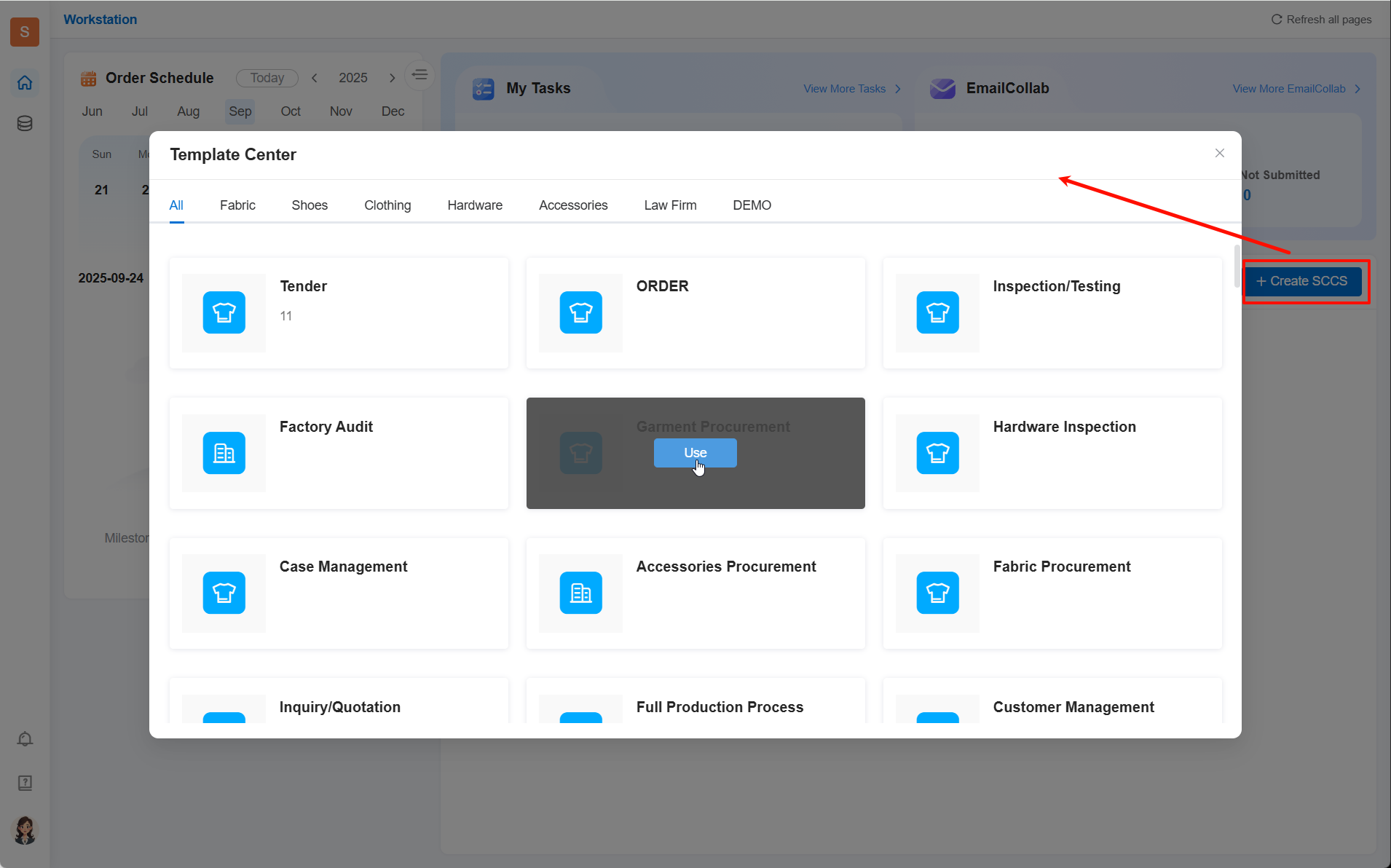
After selecting a template, create the SCCS 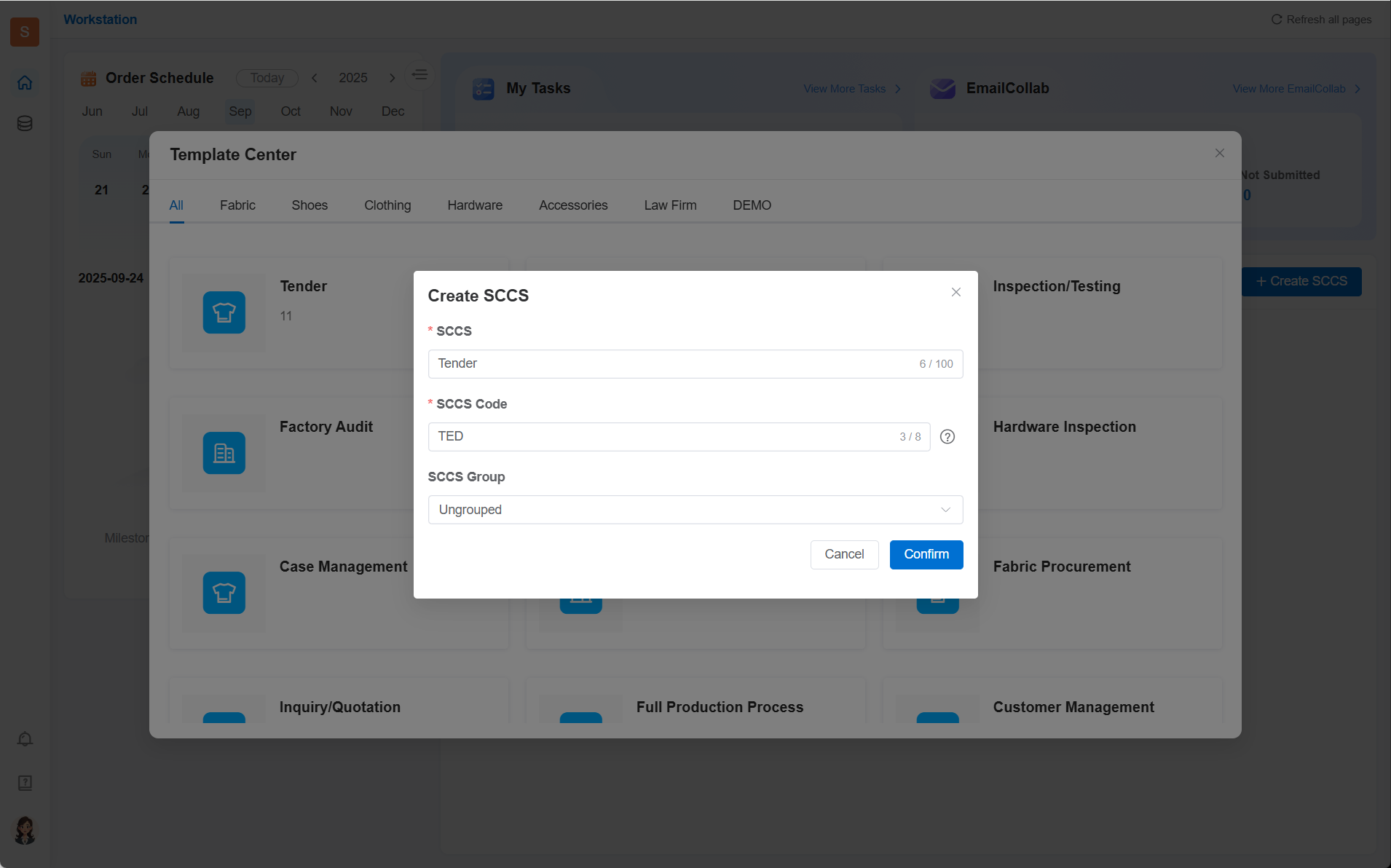
- SCCS: Enter the SCCS name to identify different collaboration spaces.
- SCCS Code: Serves as the unique identification prefix for orders in the SCCS, supporting 1-8 uppercase letters. The system will generate a default number, and you can modify it according to your needs.
- SCCS Group: A label for grouping and displaying SCCSs. You can create groups as needed (e.g., by different categories, different processes) to facilitate team members to find SCCSs.
3 Add Members to the SCCS
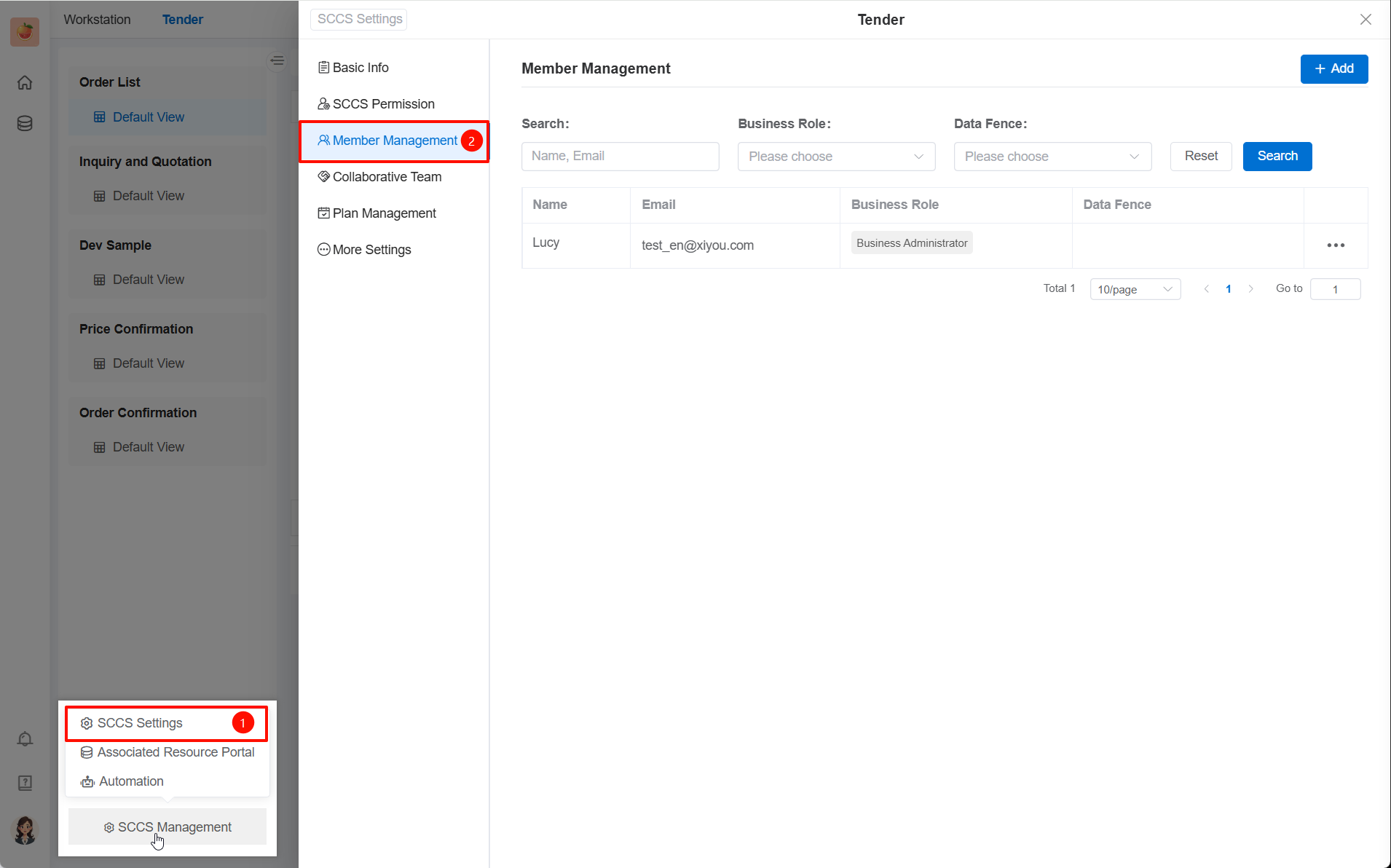
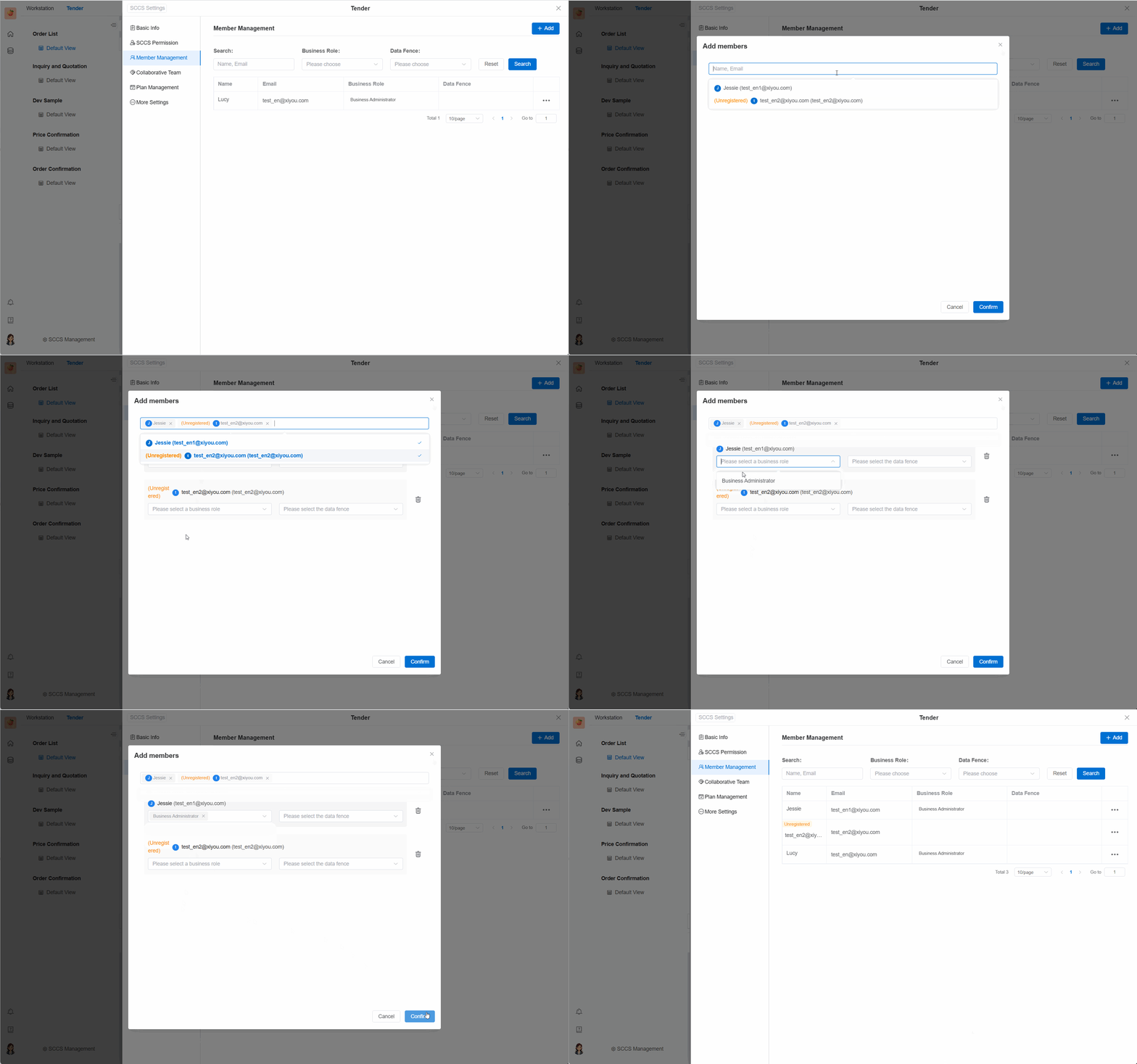
Each SCCS has a business administrator (the person who creates the SCCS is by default the administrator of that SCCS). The administrator adds members who have joined the team to the SCCS through the SCCS settings. Members added to the SCCS can participate in data collaboration for orders.